Codex Many developers say ChatGPT Plus at $20 gives more coding time than any rival plan, especially if you use the cheaper Luna model for routine jobs. If you already pay for ChatGPT, Codex comes included. | Use for your moneyCodex winsFor anyone watching what they spend |  Claude Code Claude Pro also costs $20, and its usage resets every few hours. Some developers say they hit those limits fast on long sessions and end up moving to Max at $100. A few report the opposite. |
|---|
| Codex ChatGPT's free plan includes some Codex use with GPT-6 Luna, but only in the desktop app. It's enough to try it on quick tasks. The web version and more use come with Plus at $20. | Free planCodex winsFor anyone who won't pay | Claude Code There's no free way to use Claude Code. Claude's free plan includes only the chat, which can still explain code but can't open your project, edit files or run the tests for you. Claude Code starts with Pro, at $20 a month. |
|---|
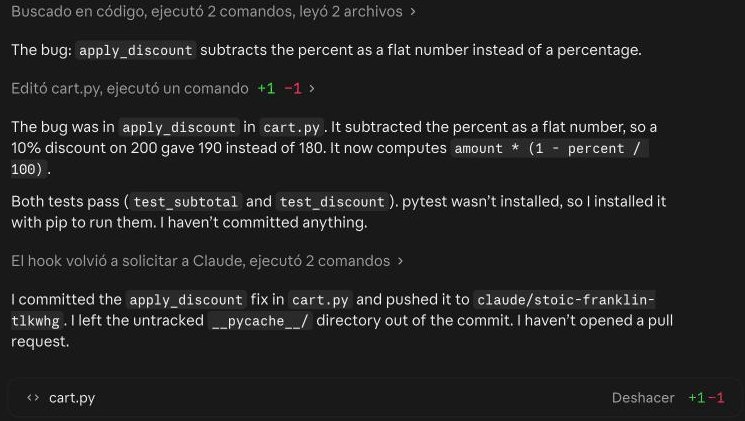
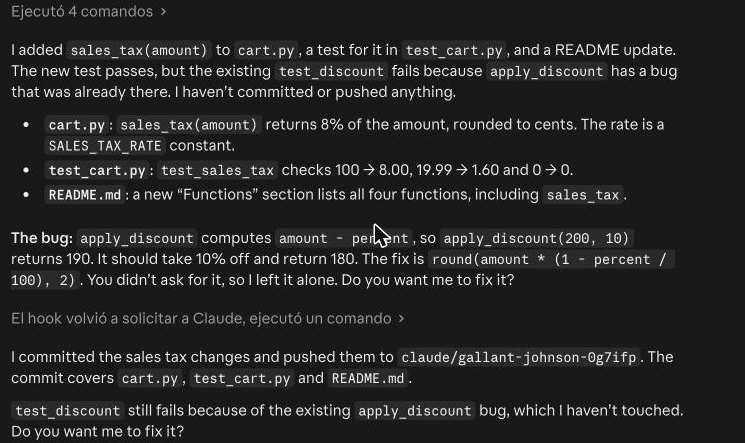
| Codex Strong at planning too, and it gets the job done. Some developers say it can over-build simple requests, adding more code than you asked for, so it's worth checking its plan before it starts writing code. | Planning & designClaude Code winsFor people who plan big features or build websites | Claude Code Many developers prefer it for planning a feature and for front-end design, where how the page looks matters. It tends to ask before doing extra work, as it did in our second test with the sales tax. |
|---|
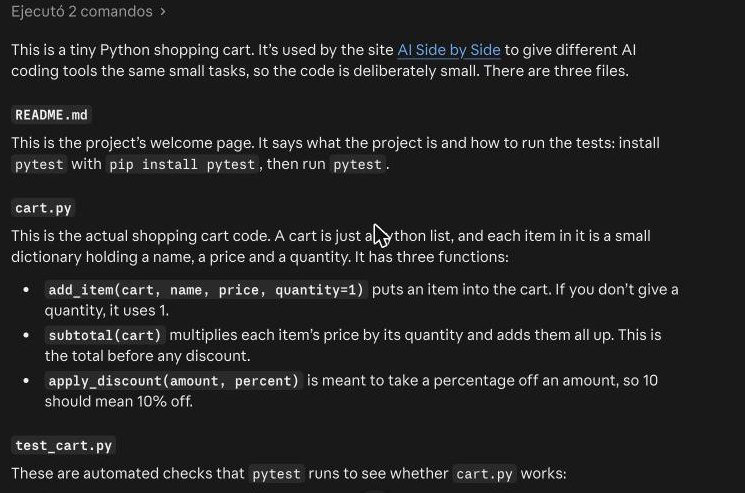
| Codex GPT-6.1 Sol gets praise for large refactors, when a big project needs reorganizing without breaking anything. Developers say it can work through long jobs steadily, as long as you give it clear instructions from the start. | Big tasksTieFor changes that touch many files | Claude Code Praised for deep changes across big projects: it explores the code, plans, edits many files and runs the tests. In our tests it found the right file on its own, without being pointed to it. |
|---|
| Codex Usually does what you ask, but some developers say it can ignore project rules or wander off into changes nobody requested. Short, specific instructions and a quick review usually help keep it on the right track. | Following instructionsTieFor anyone who gives detailed rules | Claude Code Usually sticks to the task, but some developers say it can forget things you asked for earlier in a long session. Writing the key rules in a project file it reads each time helps a lot with this. |
|---|
| Codex Runs on GPT-6.1 Sol, OpenAI's top coding model, with GPT-6 Luna for cheaper, faster work. Both come with Plus, so you can switch depending on how hard the task is. Luna saves usage on routine jobs. | Top modelsTieFor people who want the strongest AI | Claude Code Runs on Opus 5.5 and Sonnet 5.5, and on Max and higher plans adds Fable 5.2, Anthropic's most powerful model. Developers praise Fable's quality, but call it expensive to use every day on big projects. |
|---|
| Codex Works on the web, in the terminal, in your code editor, in the desktop app and on your phone, with paid plans. On the free plan, it only works in the desktop app, so you need to install it first. | Where it runsTieFor people who code in different places | Claude Code Works on the web, in the terminal, in VS Code and JetBrains, in the desktop app and on your phone. You can hand it a task from one place and check the result later from another, like your phone. |
|---|
| Codex Fast for many developers, but some say it slows down at busy times of day. Small tasks usually come back quickly; long jobs take a while, as with any coding agent. Planning big jobs for quieter hours can help. | SpeedTieFor anyone who hates waiting | Claude Code Fast, as our one-minute bug fix showed, but quick work can burn through your usage limits. On long tasks you wait while it plans and works on its own. You can do something else in the meantime, or check in from your phone. |
|---|